Announcements
Announcements provide a shared place for team information. You need Can post announcements to create, edit and publish them.
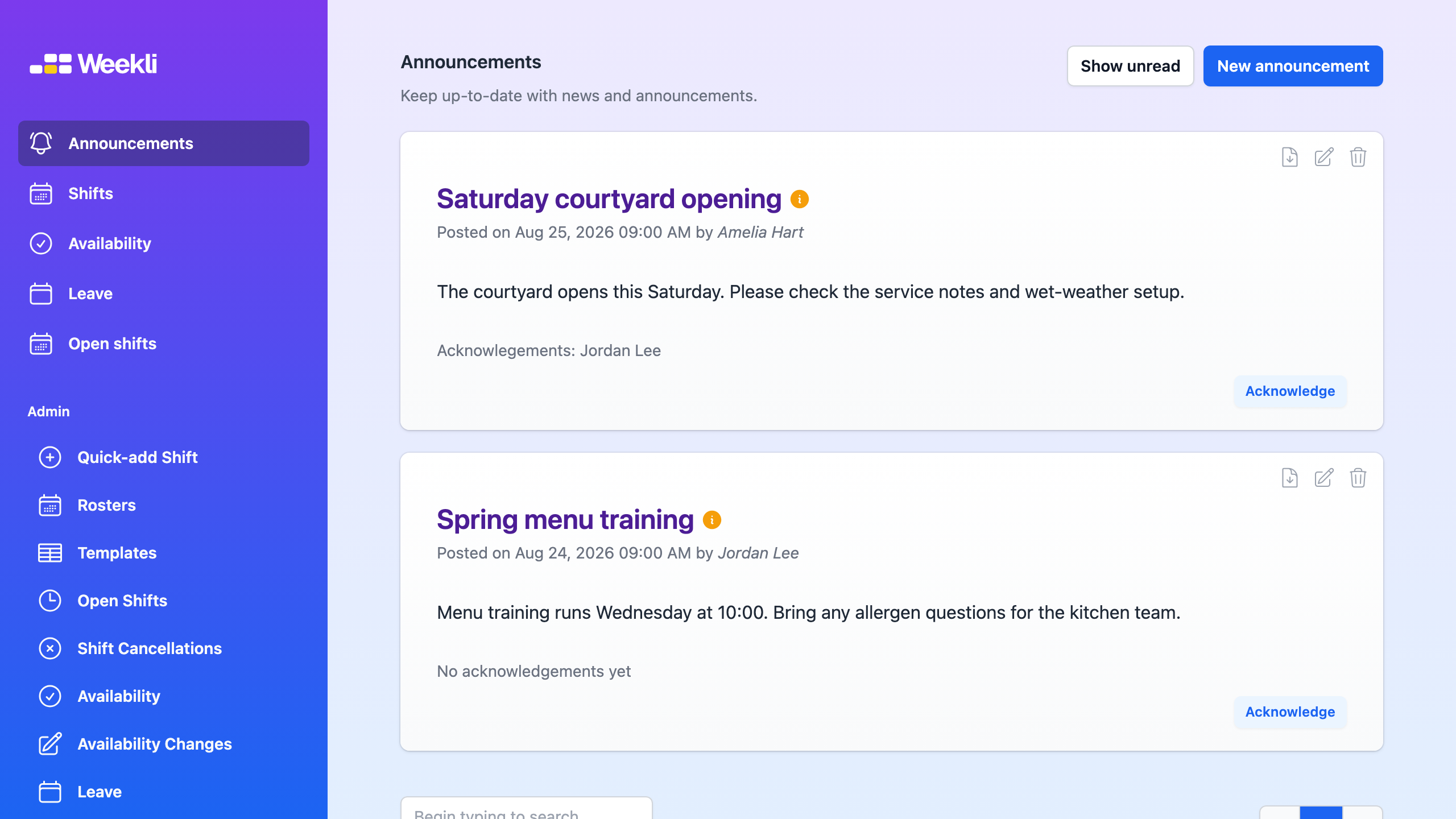
Announcements available to the manager in the Weekli demo. Select the image to open it full size.
Create and publish an announcement
Section titled “Create and publish an announcement”- Open Announcements.
- Select New announcement.
- Enter a clear title and write the message.
- Select Publish if it should be visible immediately, or leave it off to save a draft.
- Select Save.
- If you saved a draft, find it in Announcements and use Publish Announcement when it is ready.
A published announcement is visible to users. An unpublished announcement remains a draft and appears muted in the list.
Review acknowledgements
Section titled “Review acknowledgements”- Open Announcements and find the published item.
- Review the acknowledgement names below its content.
- Use Show unread to focus the list on announcements you have not personally acknowledged.
When Require acknowledgements is enabled, users must acknowledge new announcements before accessing their roster. The requirement does not apply retrospectively to existing announcements.
You can edit, unpublish or delete an announcement using its controls. Deletion cannot be undone.